



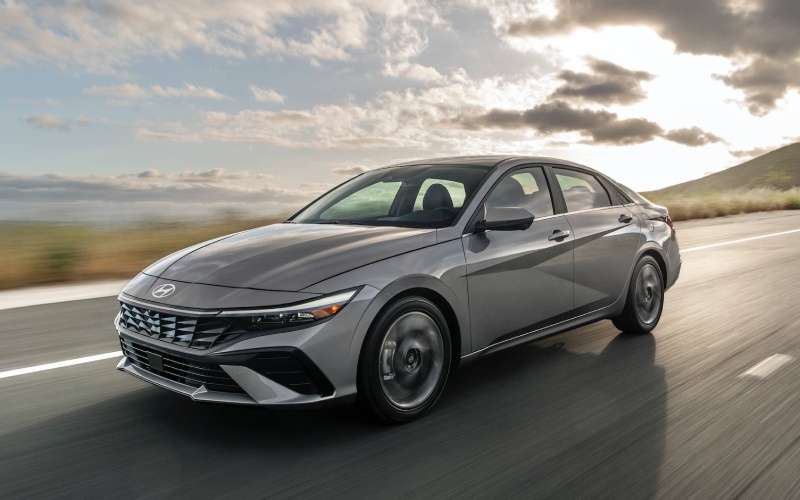
CardinaleWay Hyundai of El Monte – Does the 2026 Hyundai Elantra offer wireless Apple CarPlay® and Android Auto™ for drivers around Temple City, CA?
Staying connected has become a must-have, and the 2026 Hyundai Elantra makes it easy with thoughtful smartphone integration. If you’re wondering whether you can go cable-free day to day, here’s what you need to know about Apple CarPlay® and Android Auto™ across the Elantra’s infotainment systems.
The Elantra offers two approaches. Trims equipped with the standard 8.0-inch touchscreen support wireless Apple CarPlay® and Android Auto™ on applicable configurations, so your favorite maps, playlists, and messages appear without plugging in. Models with the available dual 10.3-inch displays typically use a wired connection for smartphone mirroring. Many drivers appreciate this because a wired link provides stable data and continuous charging during long commutes or road trips.
Before you decide which setup fits best, think through how you use your phone in the car. If you prefer a minimal routine—hop in and go—wireless mirroring is compelling. If you run navigation and audio for hours at a time, using a cable may be the better choice. Either way, the Elantra’s interface is fast, clear, and easy to learn, with clean menus and responsive touch inputs.
- Wireless on 8.0-inch: Wireless Apple CarPlay® and Android Auto™ are supported on the standard 8.0-inch touchscreen on applicable trims.
- Wired on dual 10.3-inch: The larger dual-screen setup typically requires a USB cable for Apple CarPlay® and Android Auto™ mirroring.
- Audio choices: A 6-speaker system is standard, while an available Bose setup enhances clarity and depth for podcasts and playlists.
- Practical pairing: The Elantra’s Bluetooth pairing is quick, keeping hands-free calls and streaming simple even when you’re not mirroring apps.
Daily usability goes beyond the headline features. The Elantra’s driver-focused layout angles controls toward you, and voice commands help keep attention on the road. The interface also plays well with multiple drivers—switching phones is straightforward, so each person’s preferences can come along for the ride.
Frequently Asked Questions:
How do I set up wireless Apple CarPlay® or Android Auto™ on the 8.0-inch screen?
Enable Bluetooth on your phone, start the pairing process from the Elantra’s settings menu, and follow prompts to approve wireless Apple CarPlay® or Android Auto™. Your phone may request permission to allow contacts and messages—approve to fully enable features. After the first setup, the system should reconnect automatically.
Can I still use my phone’s charging cable with the 8.0-inch wireless system?
Yes—plugging in for power is fine. In most cases the system will continue using the wireless connection for mirroring. If you prefer a wired link, the dual 10.3-inch displays are the better match for consistent cable-based mirroring and charging.
Is the Bose audio system tied to the larger screens?
Audio and screen packages vary by trim. Some upper trims pair the available Bose system with the dual 10.3-inch displays, while others may offer different combinations. Check the specific trim you’re considering to confirm the exact configuration.
What if I use both iOS and Android devices?
The Elantra’s infotainment can pair multiple phones, making it simple to switch between Apple CarPlay® and Android Auto™ as needed. Use the device list to select which phone you want to mirror for each drive.
If you’d like hands-on help deciding between the 8.0-inch wireless setup and the dual 10.3-inch displays, our product experts can walk you through both and pair your device on the spot. CardinaleWay Hyundai of El Monte is serving Temple City, South El Monte, and San Gabriel with guidance that fits your routines and your tech preferences—so your next drive is as seamless as your home screen.
Request more 2026 Hyundai Elantra information
Connect with us


- Hyundai
- Hyundai Dealer
- Hyundai Elantra
- Hyundai Elantra Hybrid
- Hyundai IONIQ 5
- Hyundai IONIQ 6
- Hyundai IONIQ 9
- Hyundai Kona
- Hyundai Palisade
- Hyundai Palisade Hybrid
- Hyundai Santa Fe
- Hyundai Santa Fe Hybrid
- Hyundai Service
- Hyundai Sonata
- Hyundai Sonata Hybrid
- Hyundai Tucson
- Hyundai Tucson Hybrid
- Hyundai Tucson Plug-in Hybrid
- Hyundai Venue
Categories
CardinaleWay Hyundai of El Monte
Address
3462 Peck Rd
El Monte, CA 91731
Phone
- Sales 626-686-3911
- Service 626-686-3912
- Parts 626-686-3913
| Monday | 9:00AM - 9:00PM |
| Tuesday | 9:00AM - 9:00PM |
| Wednesday | 9:00AM - 9:00PM |
| Thursday | 9:00AM - 9:00PM |
| Friday | 9:00AM - 9:00PM |
| Saturday | 9:00AM - 9:00PM |
| Sunday | 10:00AM - 6:00PM |
| Monday | 7:00AM - 6:00PM |
| Tuesday | 7:00AM - 6:00PM |
| Wednesday | 7:00AM - 6:00PM |
| Thursday | 7:00AM - 6:00PM |
| Friday | 7:00AM - 6:00PM |
| Saturday | 8:00AM - 4:00PM |
| Sunday | Closed |
| Monday | 8:00AM - 5:00PM |
| Tuesday | 8:00AM - 5:00PM |
| Wednesday | 8:00AM - 5:00PM |
| Thursday | 8:00AM - 5:00PM |
| Friday | 8:00AM - 5:00PM |
| Saturday | 8:00AM - 4:00PM |
| Sunday | Closed |
